Jsoup API를 이용하여 웹 페이지 Crawling 하기
1. Jsoup API를 이용하여 웹 페이지 Crawling 하기
jsoup: Java HTML Parser jsoup is a Java library for working with real-world HTML. It provides a very convenient API for extracting and manipulating data, using the best of DOM, CSS, and jquery-like methods.
Jsoup의 주요 요소는 크게 다섯 가지로 볼 수 있다
Document : Jsoup 얻어온 결과 HTML 전체 문서
Element : Document의 HTML 요소
Elements : Element가 모인 자료형. for나 while 등 반복문 사용이 가능하다.
Connection : Jsoup의 connect 혹은 설정 메소드들을 이용해 만들어지는 객체, 연결을 하기 위한 정보를 담고 있다.
Response : Jsoup가 URL에 접속해 얻어온 결과. Document와 다르게 status 코드, status 메시지나 charset같은 헤더
메시지와 쿠키등을 가지고 있다.
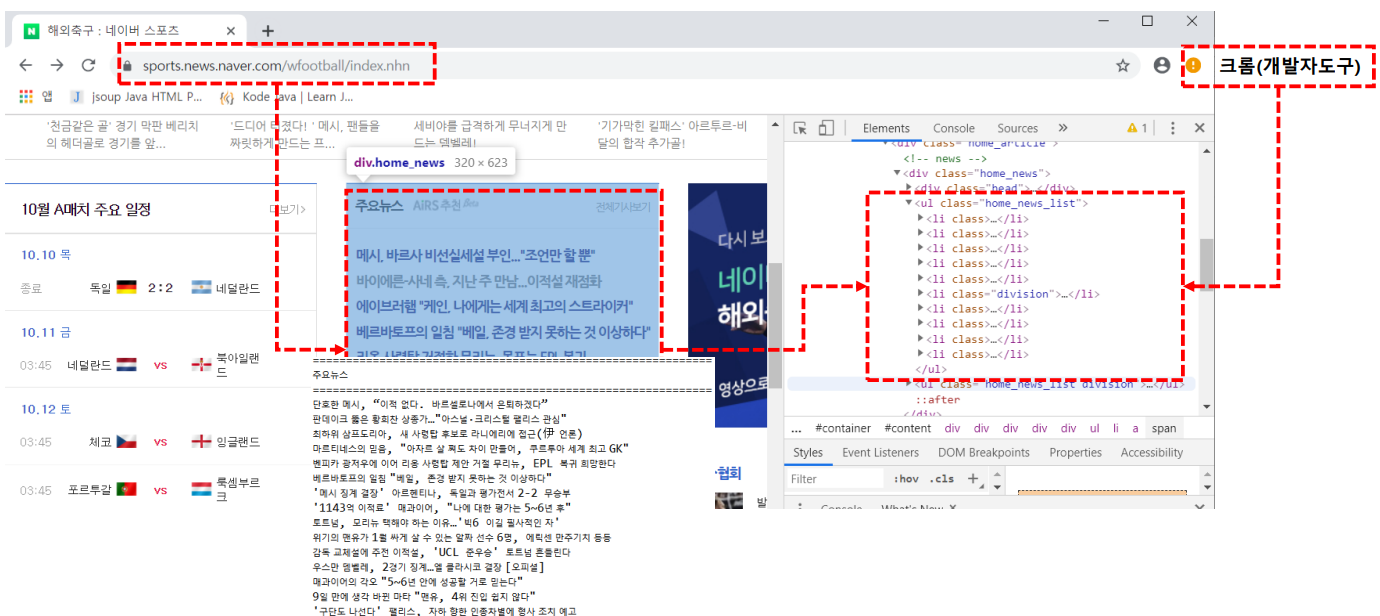
2.Jsoup를 이용해서 네이버 스포츠 크롤링(https://sports.news.naver.com/wfootball/index.nhn)
해외축구 : 네이버 스포츠
스포츠의 시작과 끝!
sports.news.naver.com
3.Jsoup를 이용해서 네이버 스포츠 크롤링
import java.io.IOException;
import org.jsoup.Jsoup;
import org.jsoup.nodes.*;
import org.jsoup.select.Elements;
public class Project02_A { public static void main(String[] args) {
String url = "https://sports.news.naver.com/wfootball/index.nhn";
Document doc = null;
try {
doc = Jsoup.connect(url).get();
} catch (IOException e) {
e.printStackTrace();
}
// 주요 뉴스로 나오는 태그를 찾아서 가져오도록 한다.
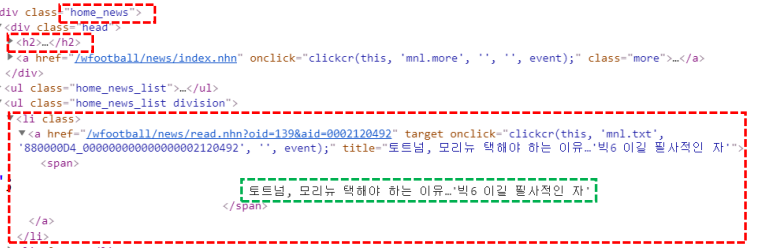
Elements element = doc.select("div.home_news");
// 1. 헤더 부분의 제목을 가져온다.
String title = element.select("h2").text().substring(0, 4);
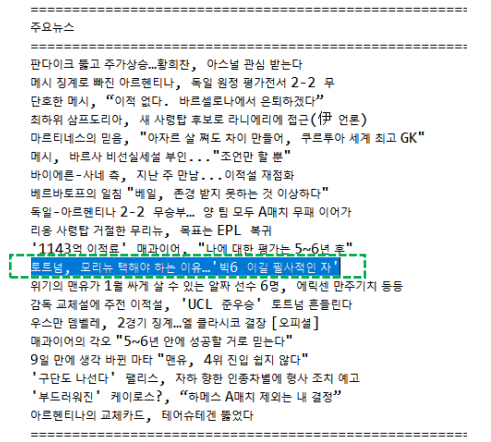
System.out.println("==================================================");
System.out.println(title);
System.out.println("===================================================");
for(Element el : element.select("li")) {
// 하위 뉴스 기사들을 for문 돌면서 출력
System.out.println(el.text());
}
System.out.println("==================================================="); } }
참고 : Java TPC 실전프로젝트 (Java API 활용) 대시보드 - 인프런 | 강의 (inflearn.com)